



A decade ago, automating a process within a website involved months of development, six-figure budgets and a dedicated technical team. Today, an average tech-savvy person can build complex workflows, connect dozens of applications and deploy sophisticated business logic without writing a single line of code.
This is not a marketing promise. It is the reality that thousands of companies, agencies and freelancers around the world are living thanks to visual automation tools like Make (formerly known as Integromat) and n8n.
But here’s the question few people ask: when does it make sense to use these platforms in the context of web development, and when doesn’t it? Are they a complement to traditional development or a real alternative? What kind of results can be expected when automating? In this article we answer all that with data, real cases and technical criteria.
No-Code does not mean no strategy
Before delving into Make and n8n, it is important to dispel a common myth: that No-Code is for people who “don’t know how to program”. This definition is not only inaccurate, but also undervalues what these tools allow you to do.
The No-Code and Low-Code paradigm represents a layer of abstraction over programming logic. Instead of writing functions, visual flows are designed. Instead of managing APIs manually, preconfigured connectors are used. The result is the same: automation, data integration and conditional logic. The difference is in the speed of implementation and the profile of the professional who can execute it.
This has profound implications for modern web development:
- Product teams can iterate without relying on the technical department.
- Agencies can deliver automation projects in days, not weeks.
- Businesses with limited resources can operate as if they had an engineering team behind them.
And in this ecosystem, Make and n8n have positioned themselves as two of the most powerful platforms, each with features that make them ideal for different contexts.
Make: Visual Automation with Business Power
Make is a cloud-based automation platform that allows you to build visual workflows-called “scenarios”-by connecting modules from hundreds of applications. Its intuitive and highly visual canvas interface has democratized automation for marketing, operations, sales and development teams.
What makes Make special in the web context
When working in modern web development, Make shines especially in the integration layer and lightweight backend logic. It can act as middleware between a web form and a CRM, between a payment gateway and a notification system, or between an online store and an inventory management system.
Some of its most relevant technical strengths:
Native HTTP modules and Webhooks. Make allows you to receive data from any web site through webhooks in real time and process it immediately. This is essential for any web project that needs to react to events: form submissions, purchases, registrations, status changes.
Advanced data transformation. It doesn’t just move data from A to B. It can transform, filter, map and enrich it using built-in functions. This eliminates the need for intermediate code in many cases.
Routing logic. Its routers and filters make it possible to create complex conditional flows: if the user comes from Spain, route to one process; if from Latin America, to another.
Scheduled and real-time execution. Compatible with push (webhook) and pull (polling) models, making it flexible for all types of web architectures.
n8n: The Open Source alternative for technical equipment
If Make is the platform designed for accessibility and scalability in the cloud, n8n is its open source counterpart, designed for teams that need full control over their data, deployment on their own servers and extensibility through code when the visual flow is not enough.
n8n can be self-hosted on any server (VPS, Docker, Kubernetes), which makes it the preferred choice for:
- Companies with data privacy restrictions (legal, healthcare, financial sectors).
- Technical teams that want full customization without relying on a SaaS.
- Projects where the cost per operation of cloud platforms becomes prohibitive at scale.
What sets n8n apart technically
Native JavaScript and Python code nodes. n8n allows inserting code blocks directly into the flow. This breaks the barrier between No-Code and traditional development, allowing very powerful hybrids.
Workflows with memory and state. With its subworkflow nodes and the ability to store data between runs, n8n can handle more complex and long-running processes.
Integration with databases directly. Unlike other platforms, n8n allows you to connect directly to PostgreSQL, MySQL or MongoDB without the need for an intermediary, which is critical in web architectures where performance and data consistency matter.
Own API and webhooks with validation logic. Your webhook endpoints can include signature validations, authentication and preprocessing logic, making them suitable for demanding production environments.
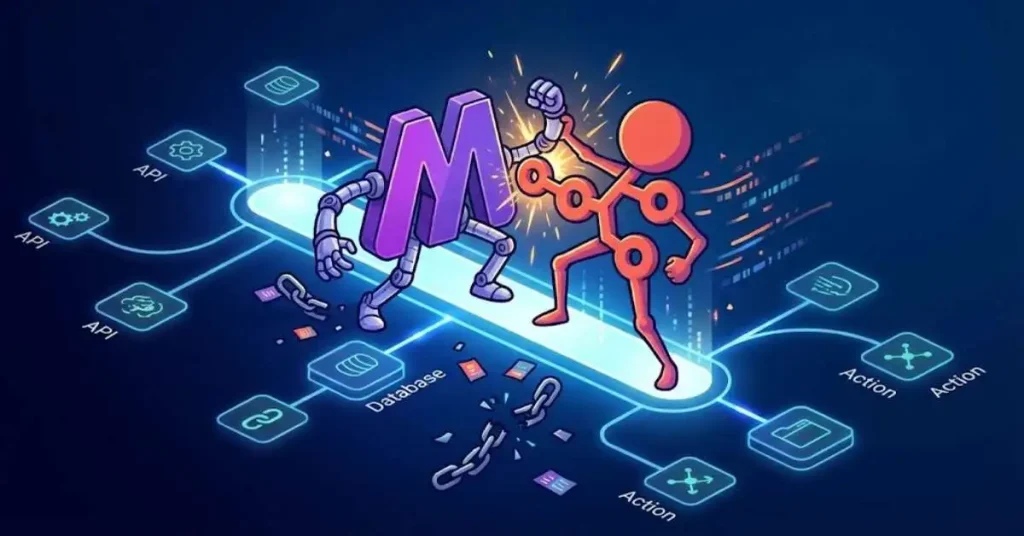
True value: Where Make and n8n transform web development
The question is not whether these tools are powerful. They are. The real question is where they fit into a real Web architecture. And the answer lies in what experienced developers call “the orchestration layer”: the space between applications, external services and business logic.
Modern websites are not monoliths. They are ecosystems: a CMS, a payment gateway, a CRM, an email marketing system, an analytics tool, a chatbot, a mobile app. Orchestrating all these components is where the complexity skyrockets, and it’s exactly where Make and n8n bring the most value.
5 Real examples of application in web projects
These cases reflect actual implementations carried out by development teams and digital agencies. The names of specific companies and tools have been omitted to focus on the logic of the process.
Case 1: Automated Onboarding for Educational SaaS Platform
An online course platform had a recurring problem: when a user registered, the process of account activation, course assignment, sending a welcome email and creating a CRM profile took between 24 and 48 hours because it depended on manual actions by the operations team.
An automated flow was implemented that is triggered at the exact moment of registration. The webhook receives the event, creates the record in the CRM with the contracted plan information, sends a sequence of personalized onboarding emails according to the type of subscription and automatically assigns the corresponding learning modules. All in less than 30 seconds. The operations team stopped spending 3 hours a day on this process.
Case 2: Multichannel lead management for digital real estate agency
A real estate agency was receiving inquiries from its corporate website, a property portal, social media and ad campaigns. Each channel generated data in different formats and arrived in different inboxes. The average response time was 6 hours.
A flow was built that centralizes all leads in a single pipeline, normalizes contact data regardless of origin, automatically scores each lead according to predefined qualification criteria and assigns them to the appropriate sales agent with instant notification. Response time dropped to less than 5 minutes and the conversion rate increased by 34% in the first 60 days.
Case 3: Automated reporting system for ecommerce with multiple warehouses
An online store with logistics distributed across three different warehouses needed real-time visibility into stock, backorders and picking times. The operations team generated these reports manually every morning with data from three different sources.
A nightly flow was implemented that extracts data from the three warehouse management systems, consolidates it, calculates key metrics and generates an executive report in a readable format that is automatically sent to area managers before they open the office. In addition, real-time alerts were set up for critical situations such as stock-outs on high-turnover items.
Case 4: Automated content pipeline for digital media
A digital publication with several external contributors had difficulties in managing the flow of articles: reception, editorial review, image assignment, scheduled publication and distribution in channels. The process involved email and shared spreadsheets, with frequent errors and version loss.
A system was designed where the contributor submits the article through a specific form. The automated flow classifies it by topic, assigns it to the corresponding editor with a notification, manages the revision status through an internal database, prepares the SEO metadata in a standardized format and schedules the publication in the CMS. Upon receipt of the publication confirmation, it distributes the content on social channels and notifies the contributor. Average publishing time went from 4 days to less than 24 hours.
Case 5: Proactive alerting and support system for web infrastructure
A managed hosting company needed to improve its ability to respond to customer server incidents. The monitoring system was generating alerts, but the process of escalating, notifying and documenting was manual.
A flow was implemented that interprets alerts from the monitoring system, classifies them by severity, queries the customer database to obtain the relevant context (plan, incident history, SLA), automatically creates the support ticket with all information pre-filled, notifies the on-call technician and the customer simultaneously, and records the incident in the reporting system for monthly service quality analysis. First response time to the customer was reduced by 78%.
Make vs. n8n: Which one to choose and when?
This is probably the most frequent question I receive in consulting. The honest answer is that it depends on three main factors:
Data privacy and control. If your project handles sensitive or regulated information, n8n with self-hosting is the natural choice. If you work with standard business data and have no special restrictions, Make offers secure management without the operational burden of maintaining infrastructure.
Team profile. Make is more accessible to operations, marketing and product profiles without a deep technical background. n8n is more comfortable for developers and technical teams who value extensibility with code.
Scale and cost. At low volume, both platforms are economically similar. At large scale (millions of trades per month), self-hosted n8n can be significantly cheaper. Make has per-transaction pricing models that scale with usage.
Automation with integrated Artificial Intelligence
The next step in the evolution of these platforms is already happening. Both Make and n8n have incorporated native integrations with language models and artificial intelligence APIs. This opens up a new paradigm: workflows that not only execute pre-determined logic, but can make decisions, generate content, classify information and respond adaptively.
Imagine a customer support pipeline where an AI model analyzes the incoming ticket, determines its category and urgency, generates an initial personalized response, and only escalates to the human agent when the situation calls for it. That’s not science fiction. It’s what teams with access to these tools and the strategic judgment to use them well are implementing today.
No-Code automation as a competitive advantage
No-Code automation with platforms such as Make and n8n is not a fad or a solution only for startups without resources. It is a real discipline, with methodology, best practices and a measurable impact on business results.
What differentiates teams that extract real value from these tools from those that simply “play” with them is the same variable that has always determined success in technology: strategic clarity about the problem to be solved.
If you have a repetitive process, an integration between systems that generates friction or an information flow that depends on manual intervention, there is a high probability that Make or n8n can automate it in an efficient, scalable and maintainable way.
The web development of the future is not just well-written code. It‘ s intelligent architecture, where automation is a fundamental layer, not an add-on.
Are you evaluating implementing automation in your web project? Leave your question in the comments or contact us directly. With more than 15 years accompanying digital transformation projects, we can help you identify the flows with the greatest potential for automation in your business.

Marketing tecnológico en vena. Fanático de las tecnologías Martech que rompen moldes: IA generativa, blockchain, no-code, metaverso, automatización extrema… Convencido de que el futuro no se espera, se construye (y se vende muy bien).
Responsable del marketing más disruptivo y tecnológico.